TikTok scheduler
deploy.social schedules your TikToks up to a year ahead and posts each one straight to your profile at the time you pick, with the privacy and settings you chose. The same upload can go to YouTube Shorts, Instagram Reels, Facebook Reels, Threads, X and Bluesky at that moment too. Free covers 5 posts a month, scheduling included.
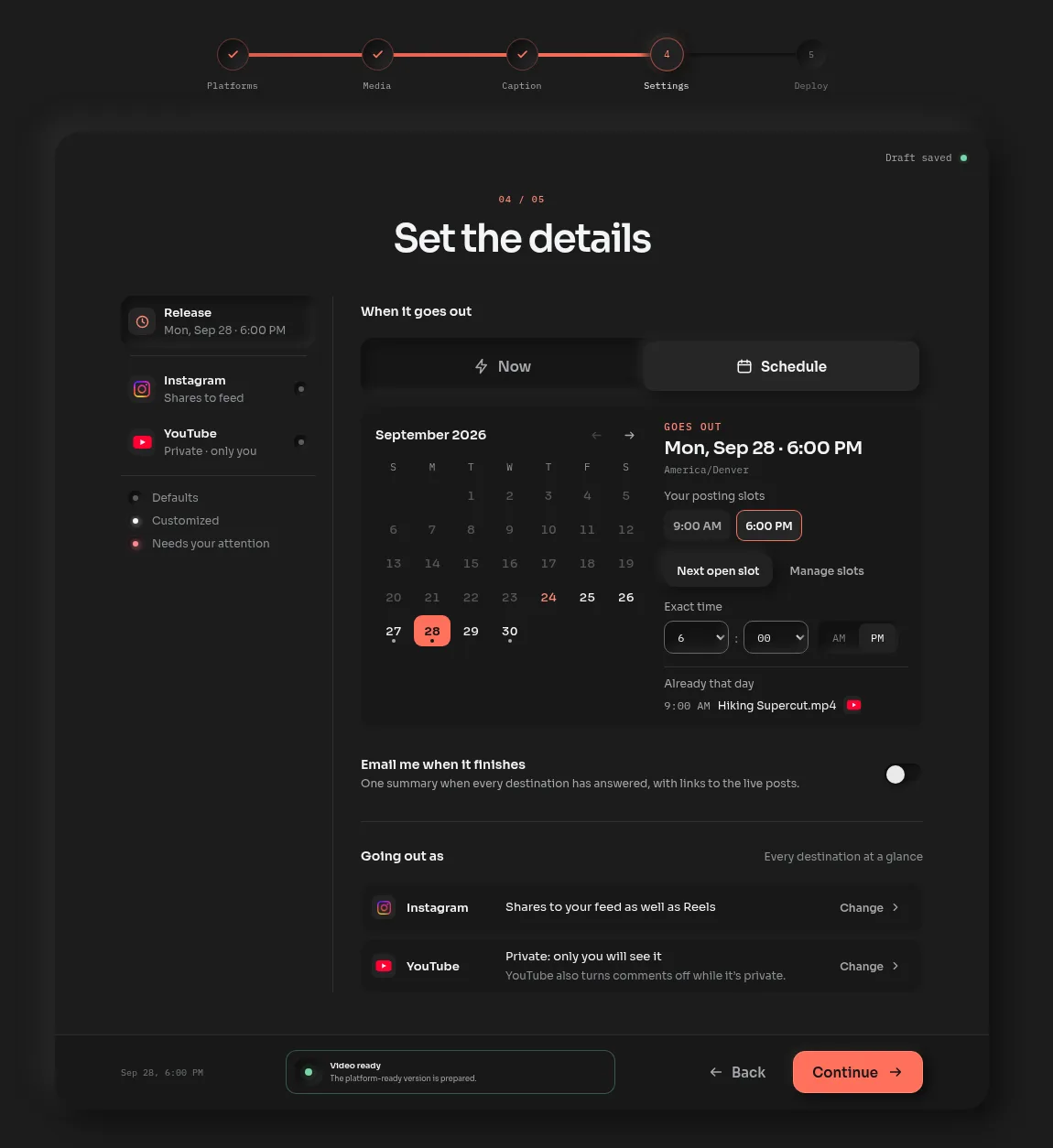
How to schedule a TikTok
Connect TikTok
Open the app and connect your TikTok account. Deploy asks for your email right after, and that's the whole signup. Connect YouTube, Instagram and the rest while you're there if you post to them too.
Upload and caption
Drop in the video and write the caption, up to TikTok's 2,200 characters. If the video is going to other platforms as well, a counter under each one shows how the caption fits there.
Choose TikTok's settings
Pick who can view it, and turn on comments, Duet or Stitch if you want them. Mark it as commercial content if it promotes a brand. These are TikTok's own options, read from your account.
Pick a time
Choose Schedule and pick a day and time, or one of your saved posting slots. It waits on your calendar and posts on its own, so you can close the page.
TikTok's own scheduler next to Deploy
| Deploy | TikTok's scheduler | |
|---|---|---|
| How far ahead | Up to a year | 15 minutes to 10 days |
| Changing it after | Pick a new time, or edit the caption, video or platforms | Delete it and upload again |
| Other platforms | The same video to YouTube Shorts, Instagram Reels and four more | TikTok |
| Price | $0 for 5 posts a month, then $15 a month | Free, on tiktok.com |
Automate your TikTok posting
Posting slots are the simple version. Save the times you like to post, say 9 a.m. on weekdays, and Next open slot drops each new video into the first free one. With batches, a week of clips gets captioned and scheduled in one sitting, and you can move the whole week to new days if plans change.
If you'd rather automate it from your own scripts or an AI assistant, Deploy has an API and MCP server on Standard and our Studio plan. Your tools upload, caption and schedule TikToks the same way you do in the app.
Questions
How do I schedule TikTok posts?
TikTok's own scheduler, on its web upload page, takes a video from 15 minutes to 10 days ahead. deploy.social schedules up to a year ahead: connect TikTok, upload the video, pick a time, and it posts on its own, to TikTok and any other platforms you picked.
Can you schedule a TikTok more than 10 days ahead?
Not in TikTok's own scheduler, which stops at 10 days. deploy.social lets you pick any time up to a year out, and the post waits on your calendar until then.
Can I edit a scheduled TikTok?
In deploy.social, yes. Reschedule it from the calendar, or choose Edit to change the caption, video or platforms and schedule it again. TikTok's own scheduler asks you to delete the post and upload it again.
How do I automate TikTok posts?
Save your usual posting times as slots in deploy.social and each new video drops into the next free one, or schedule a whole week at once with batches. On Standard and our Studio plan, the API and MCP server let your own scripts and AI assistants schedule TikToks too.
Will a scheduled TikTok post publicly?
Yes, with the privacy you chose. deploy.social passed TikTok's review for posting on a creator's behalf in August 2026, so scheduled videos go straight to your profile, visible to whoever you picked.
Is there a free TikTok scheduler?
TikTok's own is free for TikTok alone. deploy.social's Free plan schedules 5 posts a month to TikTok and every other platform it supports, with no card and no end date. Standard is $15 a month with no monthly cap.
Schedule your next TikTok.
Connect TikTok, upload the video and pick a time. 5 posts a month are free, scheduling included.
Keep reading
- Instagram Reels scheduler
The same calendar for Reels, with a first comment and collaborators.
- Post to all social media at once
One upload to TikTok and six more, start to finish.
- TikTok caption limit
2,200 characters, and what fits on every other platform.
- Schedule a post, step by step
Posting slots and the calendar, from the docs.