Post one video to all platforms at once
Upload your video once, write one caption, and Deploy posts it to YouTube Shorts, Instagram Reels, TikTok, Facebook Reels, Threads, X and Bluesky at the same time. We make sure the caption fits each platform and the file passes each platform's rules before anything goes out. No more uploading the same clip seven times.
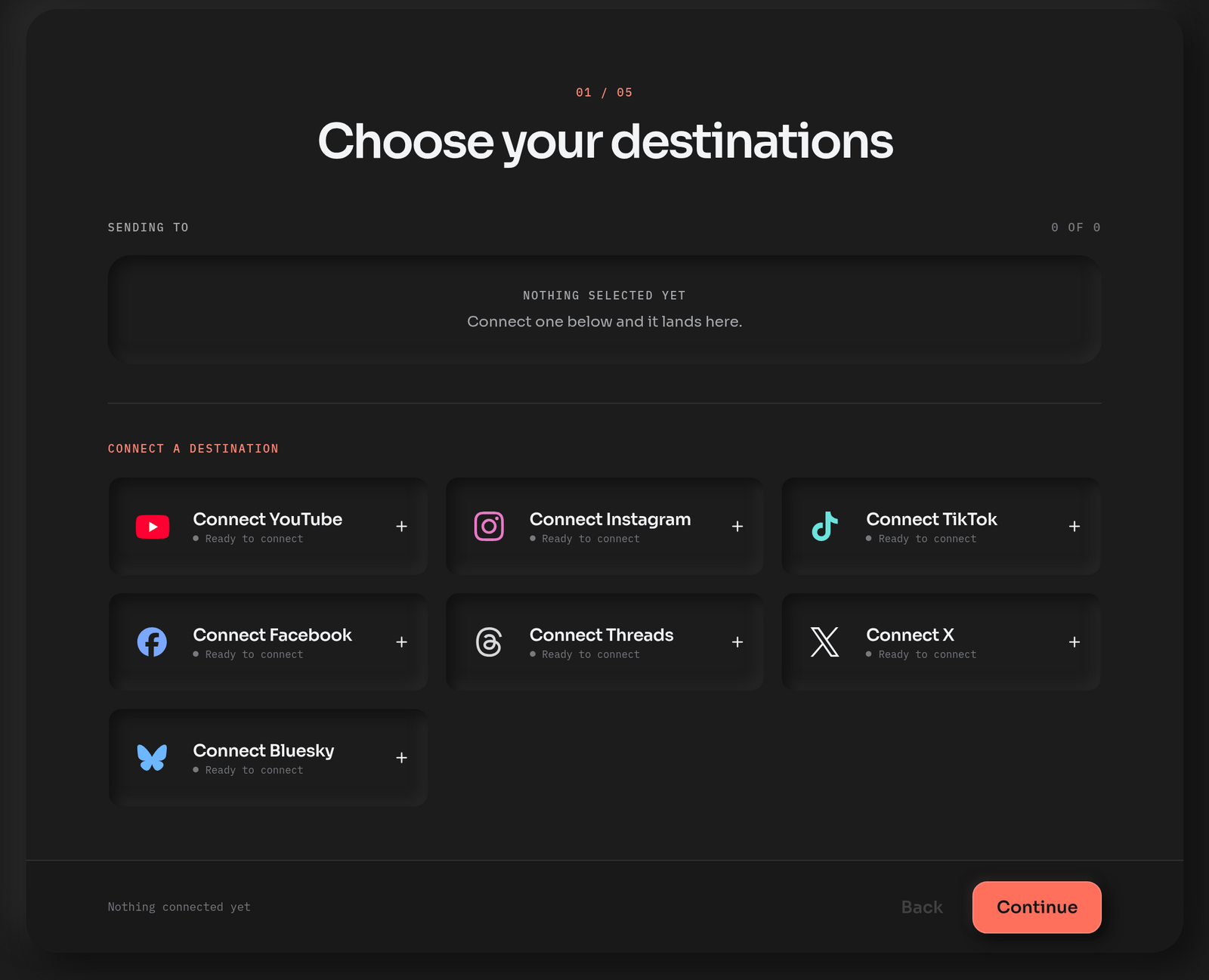
Five steps, one upload
Pick your platforms
Every account you've connected is right there. Click the ones this video should go to. Connecting a new platform happens on the same screen, and you can do it before you even have an account.
Upload the video
One file. Deploy will tell you right away if it's too long, too big, or won't play nicely with one of your platforms.
Write the caption
Write it once. We'll make sure it fits every platform's limits, so you don't have to think about it. Want something different on one platform? Change it there and leave the rest alone.
Set each platform's options
Made-for-kids on YouTube, duet and stitch on TikTok, share-to-feed on Instagram, a first comment on Instagram, Threads and Facebook. Set them once and they're the default next time.
Deploy, or pick a time
Post now, or schedule it and it goes on your calendar. Each platform reports back on its own, so if one has a bad day the other six still go out.
What each platform accepts
| Platform | Length | File size | Caption |
|---|---|---|---|
| YouTube Shorts | Up to 3 minutes | Up to 256 GB | 100-character title, 5,000-character description |
| Instagram Reels | Up to 15 minutes | Up to 1 GB (sent as a 1080p copy that fits) | 2,200 characters |
| TikTok | Up to 10 minutes on most accounts | Up to 4 GB | 2,200 characters |
| Facebook Reels | Up to 90 seconds | Up to 1 GB (sent as a 1080p copy) | 2,200 characters |
| Threads | Up to 5 minutes | Up to 1 GB (sent as a 1080p copy) | 500 characters |
| X | Up to 20 minutes, 125 with X Premium | Up to 8 GB, 16 GB with X Premium | 280 characters |
| Bluesky | Up to 10 minutes | Up to 1 GB (sent as a 1080p copy that fits) | 300 characters |
A whole week at once
Got a week of clips? Switch to the batch view, drop them all in, caption each one (or all of them in one go), pick your platforms, and schedule the lot. The calendar shows the week, and you can drag any post to another day.
Questions
Can you post one video to all social media at once?
Yes! Deploy takes one upload and posts it to YouTube Shorts, Instagram Reels, TikTok, Facebook Reels, Threads, X and Bluesky at the same time, with the right caption on each. Five videos a month are free.
Which platforms does it post to?
YouTube Shorts, Instagram Reels, TikTok, Facebook Reels, Threads, X and Bluesky today, and we're adding more all the time.
Does the video keep its quality?
YouTube gets your original file, and so do TikTok and X whenever it meets their specs. Otherwise they get a 1080p copy, and so do Instagram, Facebook, Threads and Bluesky, made to fit each one. After that it's up to the platform: YouTube keeps up to 4K and most of the others serve 1080p.
Do I need a business account?
For Instagram, yes: Instagram only lets tools post to Business and Creator accounts, and switching takes a minute in Instagram's settings. Facebook Reels post to a Page. Everything else works with a normal account.
Can I schedule the post?
Yes. Pick a time on the last step and it goes on your calendar, where you can drag it to another day.
Does it cost anything?
Five videos a month are free, to every platform, with no card. Standard is $15 a month with no monthly cap. Our Studio plan is $39 for ten workspaces.
Try it for free right now!
Connect a platform and post one video. We'll ask for your email right after you connect, and that's the whole signup.
Keep reading
- Reels, Shorts and TikTok at the same time
The three big ones, and what changes between them.
- What deploy.social does
Everything Deploy does, in one place.
- Plans
Free, Standard at $15, and our Studio plan at $39. All in USD.